Offline, and no account
There is no sign-in wall, no sync server and no telemetry. Mándalo makes exactly the requests you tell it to make — which is a claim you can verify, because the source is on GitHub.
¡Mándalo! · send it.
HTTP, GraphQL and gRPC in one workbench. A collection is a folder of plain .http files in your own repo — diff them, review them, ship them. No account, no cloud, no telemetry.

mandalo.dev/app runs the same code as the desktop release, entirely client-side. Nothing you type is uploaded, because there is nowhere to upload it to.
.http files.There is no sign-in wall, no sync server and no telemetry. Mándalo makes exactly the requests you tell it to make — which is a claim you can verify, because the source is on GitHub.
A collection is a folder; a request is a .http file. That is the format VS Code’s REST Client, httpYac and the JetBrains HTTP Client already read — so your collection stays useful even to people who never install Mándalo.
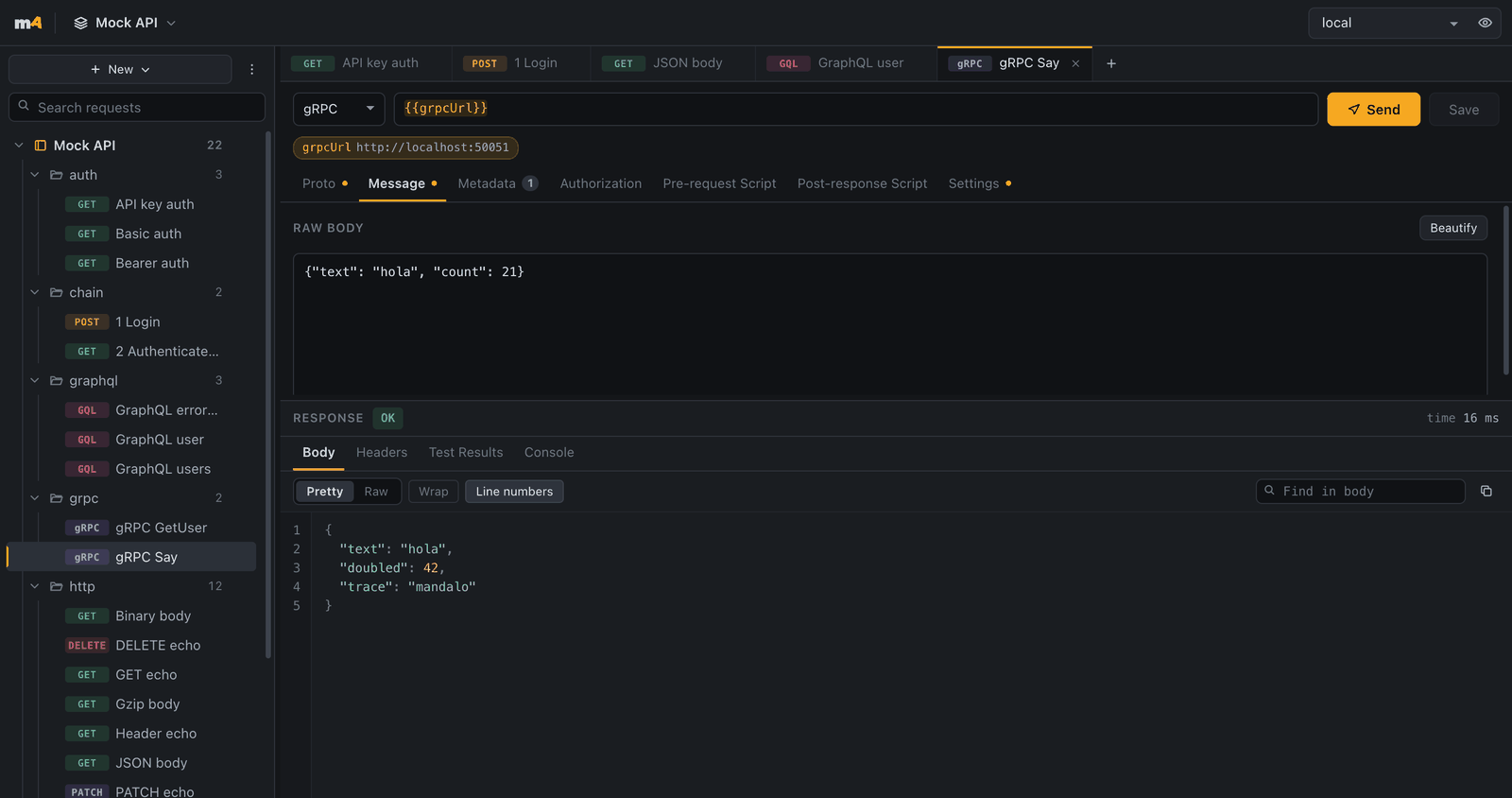
REST endpoints, GraphQL queries with variables, and gRPC calls compiled from your .proto files at runtime — side by side in the same collection.
Scripts
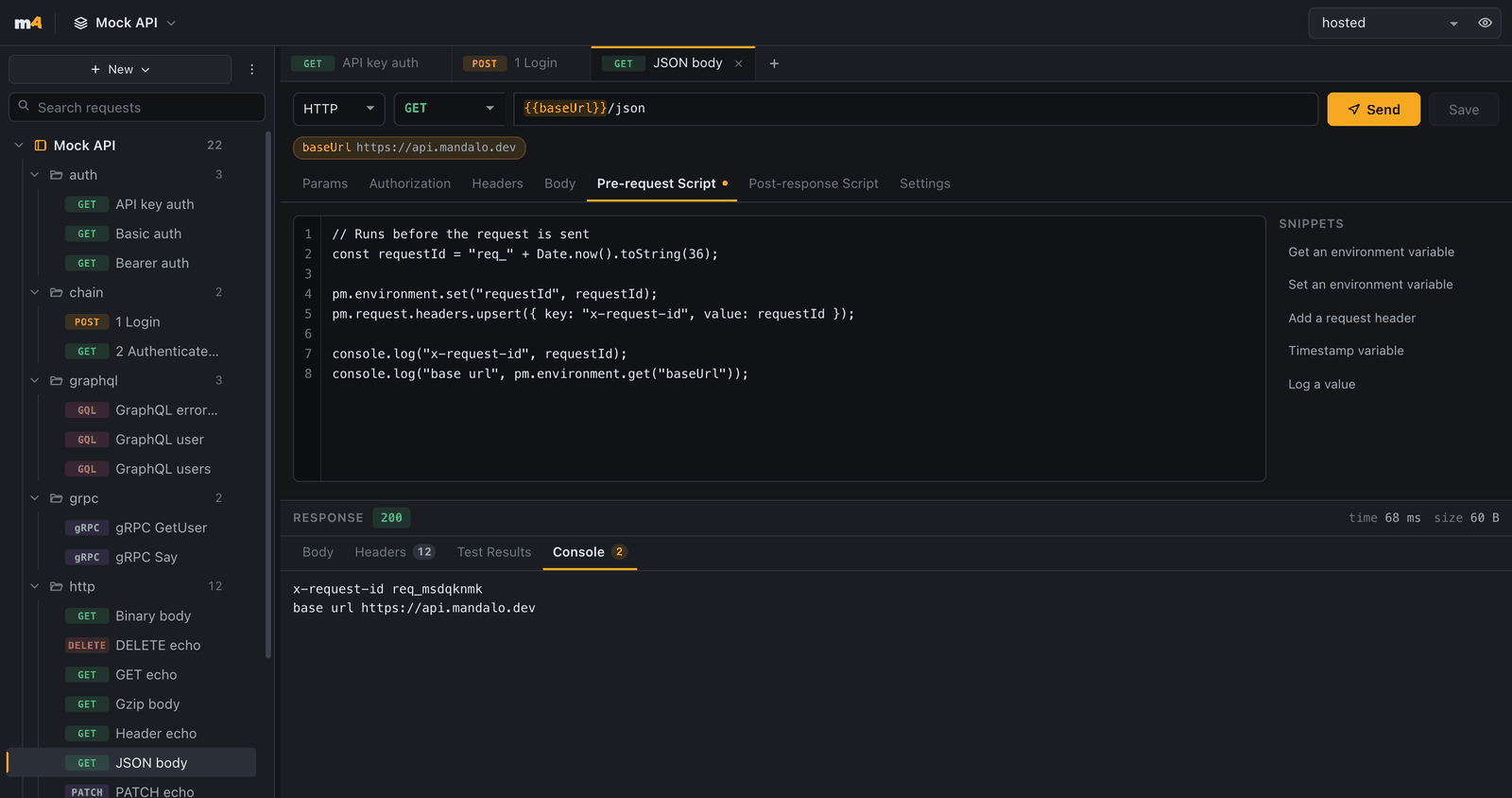
pm.* sandbox, not a new languagePre-request and test scripts run in a sandboxed JavaScript engine with the Postman API you already know — pm.environment, pm.request, pm.response, pm.test and pm.expect. Anything that isn't implemented fails loudly and tells you what to use instead, so a script never quietly does the wrong thing.
Tests
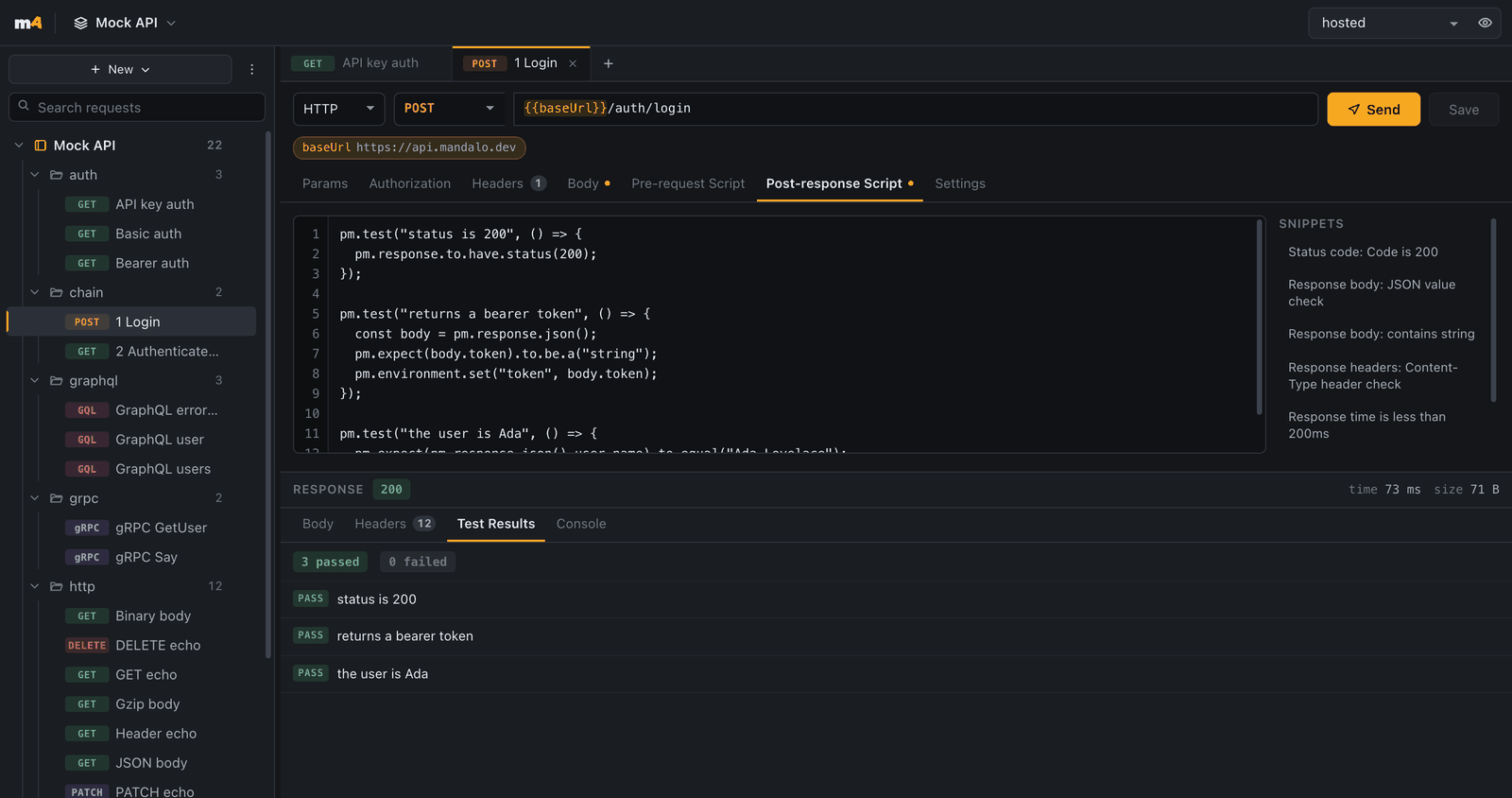
Assert with pm.test and pm.expect against the response you just got, capture a token into the environment for the next request, and read the pass and fail rows in the response pane. Snippets are one click away when you would rather not remember the incantation.
The same file, the same engine and the same results run under mandalo run in CI — no second suite to keep in sync.
GraphQL
GraphQL requests keep the query and its variables in separate editors, and let you assert on the errors array rather than the status alone — because a GraphQL failure is usually a 200 and a status check would wave it through.
gRPC
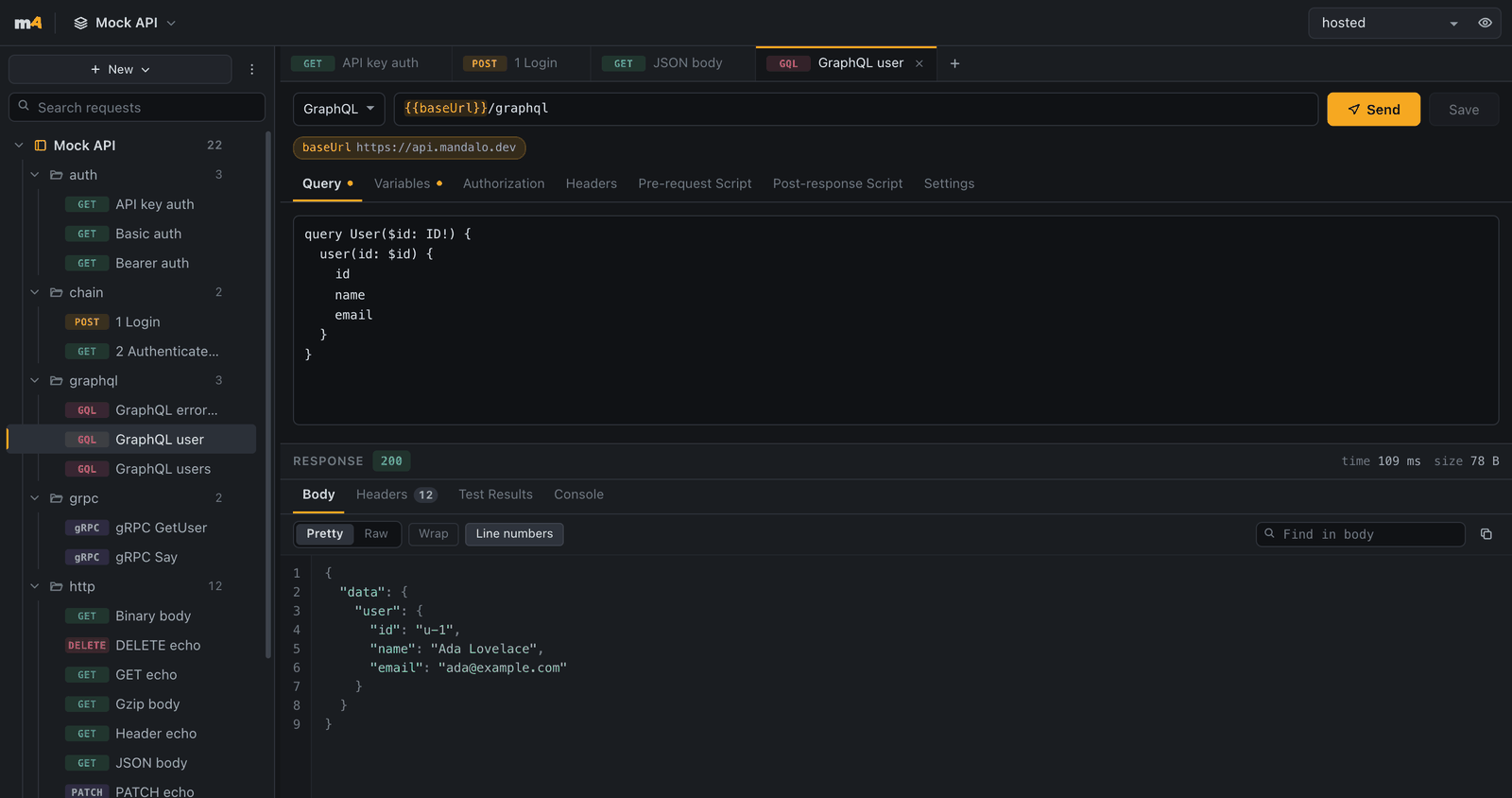
Point a request at your .proto files and Mándalo compiles them at runtime — no protoc, no generated stubs, no build step. That compiler is one piece of Rust: the desktop app links it natively and speaks native gRPC; the browser runs the very same code as WebAssembly and speaks gRPC-Web.
The screenshot is a real unary call from a browser tab. Native gRPC needs HTTP/2 trailers no browser hands to a page, so for that one the desktop app earns its keep — and streaming is not supported anywhere yet.
No workspaces to buy, no seats to count, no sync conflict resolved by a server you don't control. Your team already has the perfect collaboration tool — Mándalo simply keeps collections where git can see them.
Change a request in the app. Mándalo writes it straight to the .http file in your working tree.
The diff is small and human-readable. Review API changes the same way you review code.
git pull, and everyone has the updated collection. That is the whole sync protocol.
@@ -1,8 +1,9 @@
 ### Create charge
-POST {{baseUrl}}/v1/charges
+POST {{baseUrl}}/v2/charges
 Content-Type: application/json
+X-Api-Version: 2026-08-01

 {
   "amount": 2400,
   "currency": "eur"
 }
A version bump and a new header. No wrapper format, no exported JSON blob — a reviewer can approve that from a phone. See the file format
Command line
The mandalo binary shares the runner with the app, so a suite that passes on your laptop passes the same way in CI. It reports pretty, JSON or JUnit, redacts every resolved secret from its own output, and ships mandalo scan — a credential guard you can point at staged files.
One line on macOS and Linux: curl -fsSL https://mandalo.dev/install.sh | sh. It lands in ~/.local/bin, never asks for sudo, and checks the download against the release checksums before writing anything. Windows binaries and the plain archives are on the release page.
Homebrew works too: brew install De-Rus/tap/mandalo on Linux for the binary alone, and brew install --cask De-Rus/tap/mandalo on macOS, which installs the app and puts the same mandalo on your PATH.
Secrets never live in the collection files: the app reads them from your OS keychain, and CI reads them from MANDALO_SECRET__<ENV>__<KEY>.
$ mandalo run payments --env staging --reporter junit > results.xml
  ✓ auth/login.http          201  ·  2 passed
  ✓ charges/create.http      201  ·  3 passed
  ✓ charges/get.http         200  ·  2 passed
  ✗ charges/void.http        409  ·  1 failed
      Status eq 200 — got 409

  4 requests · 7 passed · 1 failed
$ echo $?
1Bearer, Basic and API key — in a header or a query parameter — applied after variables resolve.
{{baseUrl}}, {{token}} and friends interpolate into URLs, headers, bodies and auth. An unresolved variable fails loudly.
Kept out of the workspace files and stored in your OS keychain, so a collection is always safe to commit.
Point Mándalo at more than one directory and switch between them — one per repo, if that is how you work.
Bring a Postman export over in one step and get ordinary .http files out the other side.
Hand a whole collection to someone as one self-contained file.
The same workbench inside the editor, next to the code the API belongs to.
The full app at /app, client-side, with nothing to install.
Mándalo is smaller on purpose. It has no cloud sync, no team workspace UI, no mock servers and no monitors — and it does not want an account before it will send a request. We wrote the honest version of that trade-off down, including the parts where Postman wins.
Yes. There is no paid tier, no seat count and no sign-up. The desktop app, the browser build, the VS Code extension and the command line runner are all free, and the source is on GitHub.
Yes. Import a Postman collection export and Mándalo writes it out as ordinary .http files in folders — requests, headers, auth, bodies and scripts. From then on it is just files in your repo. What survives the trip →
Completely. There is no account, no sync server and no telemetry, so the desktop app works on a plane or behind an air gap against a local API. The only network traffic is the request you pressed Send on.
In a workspace directory you choose — ~/Mandalo by default. A collection is a folder, and each request is a .http file inside it (.grpc for gRPC). Environments are TOML. Secrets are not written to any of them; they live in your OS keychain, or in environment variables in CI. The file format →
Yes, at mandalo.dev/app — the same code as the desktop app, running client-side. A browser tab has to obey CORS, so it can call any API that allows your origin; anything else needs the desktop app. gRPC works in the browser too, over gRPC-Web. In Chromium-based browsers you can open a real folder and the browser build writes the same .http files.
Yes, and it installs in one line: curl -fsSL https://mandalo.dev/install.sh | sh. mandalo run <collection> --env staging --reporter junit produces a JUnit file any CI system reads, and exits non-zero when an assertion fails. There is JSON output for everything, secret redaction throughout, and mandalo scan --staged as a credential guard. CLI reference →
Yes — in the desktop app, the CLI and the browser. Point a request at your .proto files and Mándalo compiles them at runtime, with no protoc in your path. Desktop and CLI speak native gRPC; the browser speaks gRPC-Web, which needs a gRPC-Web layer in front of your server. Streaming is not supported anywhere yet — unary only, and streaming methods are rejected with a clear error. The platform matrix →
No cloud sync, no team workspace UI, no mock servers, no monitoring service and no one-click GitHub sync — collaboration goes through git itself today. gRPC streaming and server reflection, request history and a cookie jar are also still open. The comparison page keeps the full list honest.

Open it in a tab, or put it on your machine. Either way you are one request away.